I’ve reviewed dozens of gaming mice over the years and I can’t remember the last time I tested one that felt as natural in my hand as the Razer Cobra Pro. At 77g this compact mouse is a lot smaller and lighter than I’m used to, but as I took it out of the box, I knew we were a match. The contours of the sides provide the perfect grip for both big sweeping movements and tiny fingertip adjustments, and the light weight makes lifting the mouse to reset its position effortless. When you find the right mouse, it feels like it’s an extension of your hand, and the Cobra Pro feels like it came out of the box molded to my palm.
That’s not a broadly applicable feature of the Cobra Pro, unless we happen to be hand twins (I know I’ve got one out there somewhere). They didn’t put “A perfect fit for Eric Switzer’s hand” on the back of the box, but they did put a whole host of other features that make this pro gaming mouse a fairly complete package. The Cobra Pro is defined by its versatility. From connection types, to power options, to customizability, this mouse earns the Pro in its name several times over.
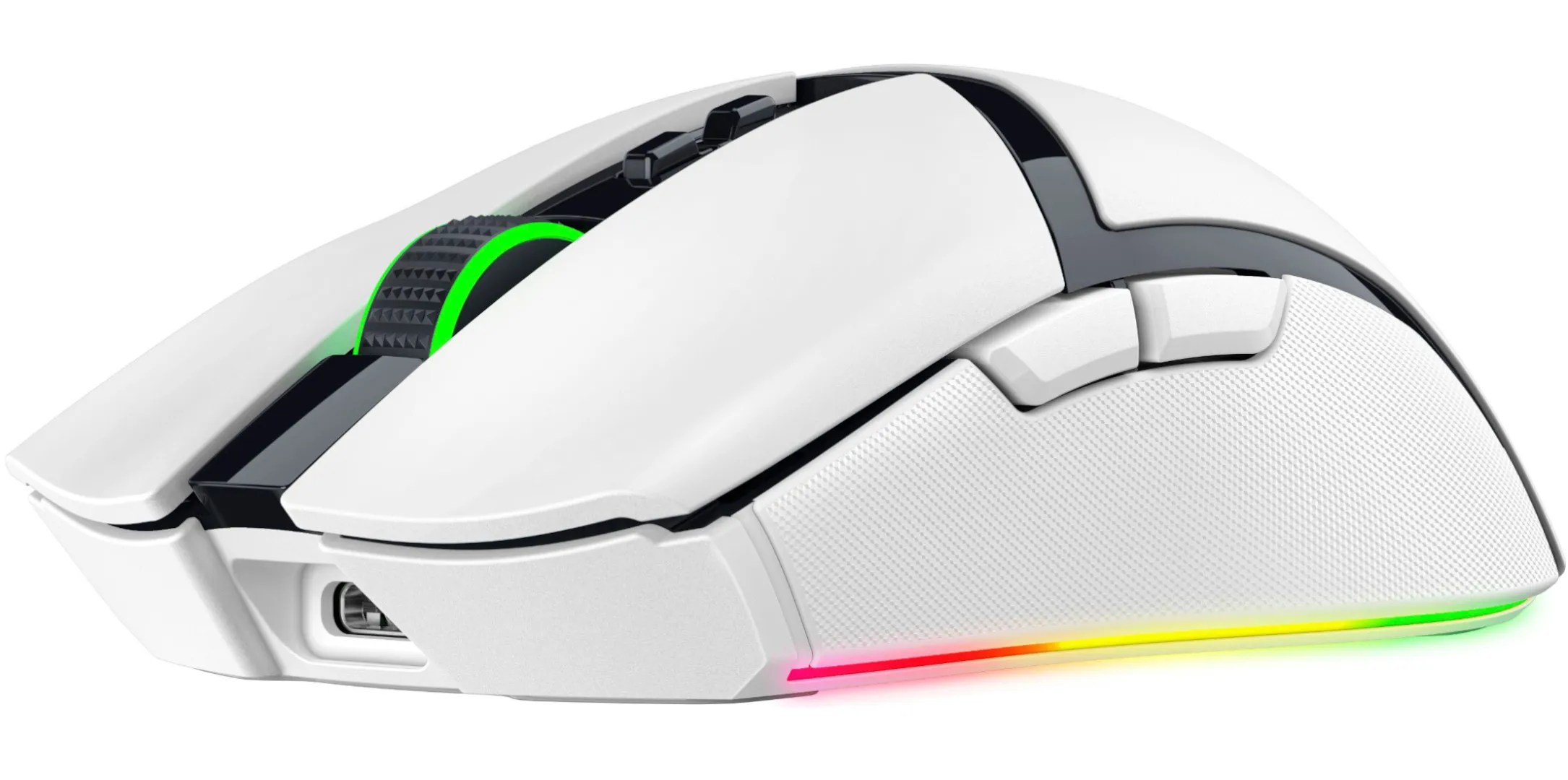
Connection types include Bluetooth, Razer HyperSpeed wireless, or wired with the included USB-C cable. Razer claims up to 100 hours of battery life on wireless or 170 on Bluetooth. I’m going on day 3 of near-constant use without charging and it’s still at 53 percent, so it may even have better battery life than what Razer claims. When you do need to charge, you may either plug in a USB-C to the front of the mouse (and continue using it if you’re charging off your PC) or charge it wirelessly.
The wireless adapter comes with a dongle so you’re able to extend the range with the included USB-C cable to improve the connection, but I’ve got it plugged directly into my desktop tower under my desk and I’ve had no connectivity issues at all.
As for customization, the Cobra Pro supports five onboard profiles and ten customizable controls. Out of the box the buttons under the scroll wheel are programmed to increase and decrease the DPI, which seems like a waste of a button to me since you can just have one button scroll through the DPI settings. So I jumped into Razer Synapse and reprogrammed one of the buttons to launch DIM.GG, an inventory manager for Destiny 2, that I always forget to open when I start a session. I saved that setting under the first profile, renamed it Destiny, and then changed the chroma lighting to reactive so the mouse lights up red every time I click. When I get back into World of Warcraft for The War Within later this year, I’ll set up a completely different profile. The button on the bottom of the mouse cycles through each profile, so once you have them set up, you don’t need to use the software at all.
That’s a good thing, because using Razer’s suite of apps is unpleasant. I appreciate the level of detailed customization it allows, but I don’t enjoy fiddling with it, navigating back and forth between multiple applications, or having it run in the background on my PC non-stop. Not all of my devices are Razer either, so I have to have multiple accessory apps running all the time, eating up my RAM, and I don’t love it.
The one feature I expected from the pro mouse that it doesn’t have is a customizable scroll wheel. My daily driver for the last years has been the Razer Naga V2, and while that’s a far more complex mouse with swappable side plates that change how many buttons it has, the scroll wheel options have become my favorite mouse feature. The Cobra Pro’s wheel is locked at 24 steps with medium tension, which gives it a ratchety, bumpy sensation not unlike driving on a gravel road. If I could adjust the scroll wheel settings this would easily be the best Razer mouse I’ve ever used.
I tested the White Edition of the Cobra Pro, which seems to be a new trend for Razer. A lot of my setup is white, including my Corsair PC case, and while it does require more frequent cleaning, the white mouse with black accents has a clean look that I really appreciate. It’s not quite as sterile or faux-futuristic as Apple’s aesthetic, but with the right RGB settings,the Cobra Pro looks like the Tron light cycle, which is exactly the vibe I’m going for.
For a lot of people, a mouse is a mouse, and at $130, the Cobra Pro is a fairly expensive one. Razer boasts plenty of proprietary and impressive sounding features on its pro series mice, like optical mouse switches, focus pro 30k optical sensors, and hyperspeed wireless. I don’t know how much those features contribute to the accuracy or durability of the mouse, but for me, the comfort, style, and customization options are where the real value lies. This is almost everything I could want in a gaming mouse, in a size and weight that feels great to use. If the Cobra Pro V2 has scroll wheel settings, it might be the last mouse I ever buy.
