Quick Links
Soulmasktakes you on an unforgiving adventure through a mysterious, otherworldly realm, where survival depends on forging alliances and building a strong tribe. As you start building your base, you’ll soon be able to recruitNPCs to join your tribe. These tribesmen possess unique proficiencies, traits, and even moods, making them excel at different aspects of survival.
Interestingly, your tribesmen can take on different jobs around the base, freeing you up to focus on more critical activities like exploration and combat. This allows you to progress much faster and invest your time and energy in staying alive. Read on to learn how to assign jobs to your clan in Soulmask.

Soulmask is in early access, and information is subject to change.
How To Assign Jobs To Tribesmen
In Soulmask, you will attract your first tribesman after youplace your first large Bonfireon your base. They’ll ask you to join your clan, and you can appoint them to a job right away.
Before you begin assigning tribesmen to different jobs, you’ll want tocheck their proficiencies and traitsto make sure you’re assigning the right one for the job.To assign a job to an NPC, press the ‘I’ key to open up the Clan menu.Here, you can see your tribesmen and can manage all of their aspects.

Click on thesmall profile iconto the right of the NPC’s name to take a look at their current proficiencies and traits. Certain NPCs can be great at chopping down trees, while others are better at smelting. After checking the tribesmen’s highest-level skills, you can appoint the right jobs for them.
In the early stages of the game, focus on the NPC’s current proficiency level rather than the max proficiency, to ensure they have good working efficiency. As your tribesmen get more proficient at their tasks, you can unlock extra buffs for each skill at Levels 30, 60, 90, and 120.
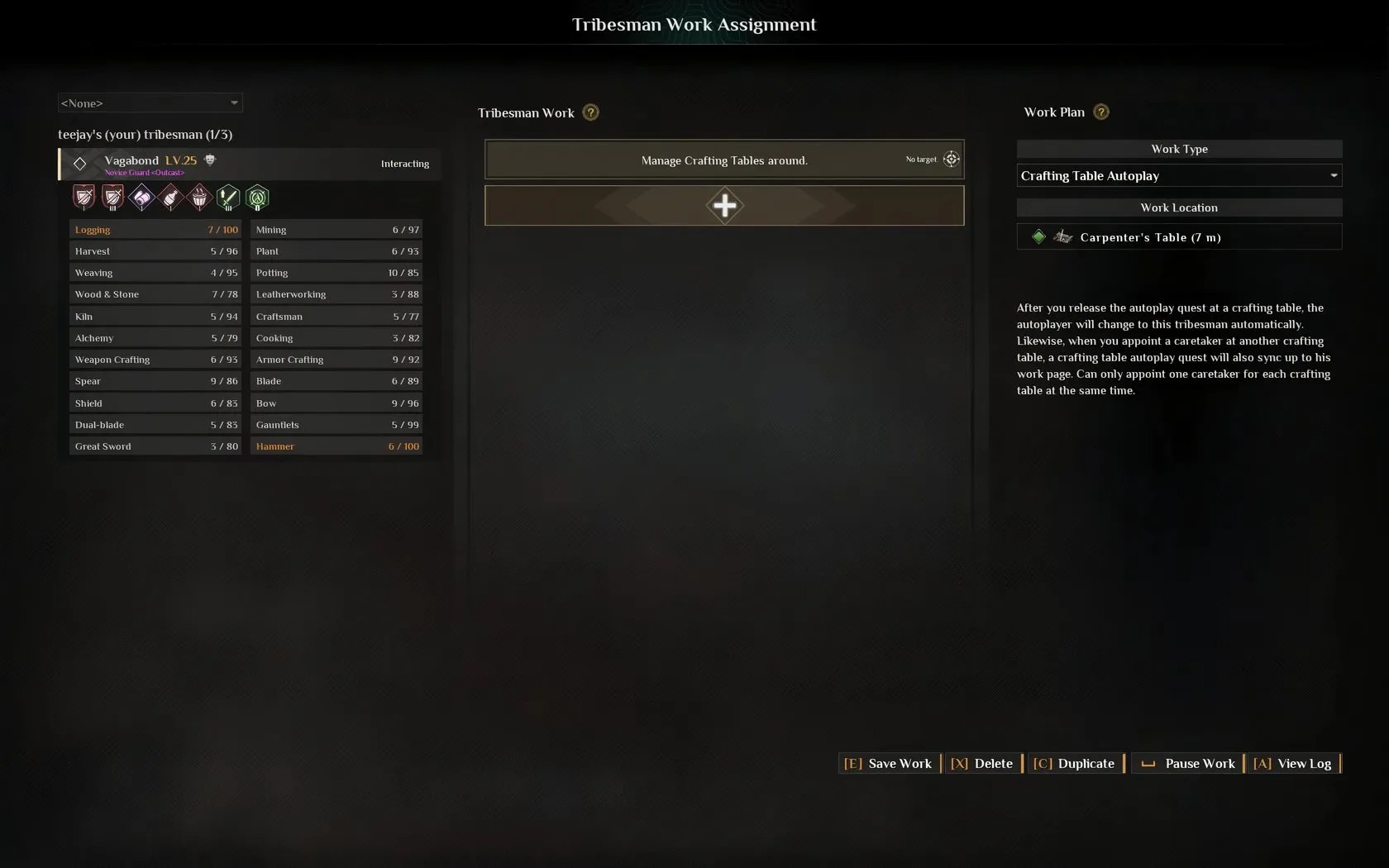
Click on thehammer and anvil icon in the Tribesman’s bar to open up their Work page.This lets you assign specific tasks related to resource gathering, crafting, farm management, or camp upkeep.
Next, click the ‘+’ button to add a new Work Assignment.Choose theWork Type, set theWork Location, define theWork Goal,and equip the tribesman with anynecessary toolsto confirm their assignment. You can alsoselect storage boxesfor your tribesmen to place the collected resources in.

You can also approach an NPC and press the ‘E’ key to open up the Tribesman Work menu.
How To Assign Tribesmen To Crafting Tables
You can also assign your tribe members to manage different Crafting Tables. To do so, access a crafting station andpress the ‘P’ key to appoint a tribesmanto take care of that Crafting Table. Theyellow markernext to the NPC’s name indicates that this tribesman is responsible for managing the particular crafting table.
Next,press the ‘D’ key to set up a crafting task. You can select the task andadjust the numberof items you want to make. For example, if you’re assigning a tribesman to the Carpenter’s Table, you can ask them to craft a set number of planks.
How To Make Tribesmen Fight With You
If your tribesmen have strong combat skills, they can be a valuable asset in fights. To make an NPC join you on dangerous outings, approach them andhold ‘E’ to open the Work Menu. Next, select theDeployoption.
Once deployed, you’re able to command your tribesmen to follow you, attack a specific target, and save you from enemies. You can also choose betweenpassive or active combat modes. Unlike in camp,deployed tribesmen can die in combat.This means you can lose a valuable member of your tribe if you’re not careful.
You can end an NPC’s deployment at any time, sending them back to camp.
